
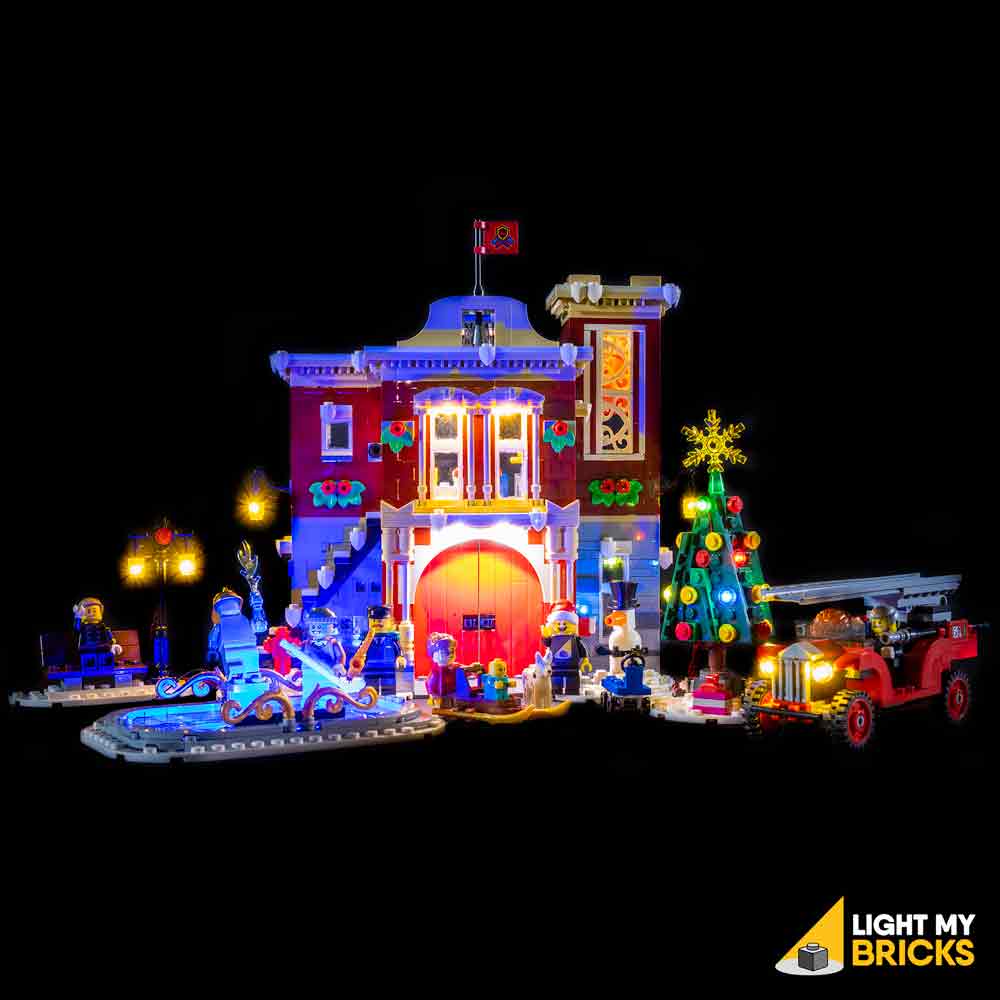
READ THIS FIRST
A new connection plan.
A physical prototype still to come.
This is an independent BLC trial for standard mode only, not an official Light My Bricks manual. Use the original 1.0 guide to identify and open the model sections. The diagrams below are electrical connection maps, not exact brick positions or verified mounting geometry.
Dry-fit every emitter, Tether and housing. Additional LEGO mounting pieces and a suitable USB supply are not included in the lighting cart. Keep flat 2.0 cables flat — do not repeat the old wire-twisting instructions. Disconnect power before changing connections.
For the optional tree-string and under-ice redesign, select Suggested redesign on the conversion page and use its separate instruction-change list.
THE NEXT CHAPTER / VISUAL BOOK
OPEN. ROUTE.
REASSEMBLE.
A first look at an original 3D-style instruction format: exploded fittings, cable callouts and component diagrams. This is an 11-page design proof, not a complete brick-by-brick manual. Exact Fire Station geometry and a real 2.0 installation still need checking.
View the visual book design proof (PDF) ↗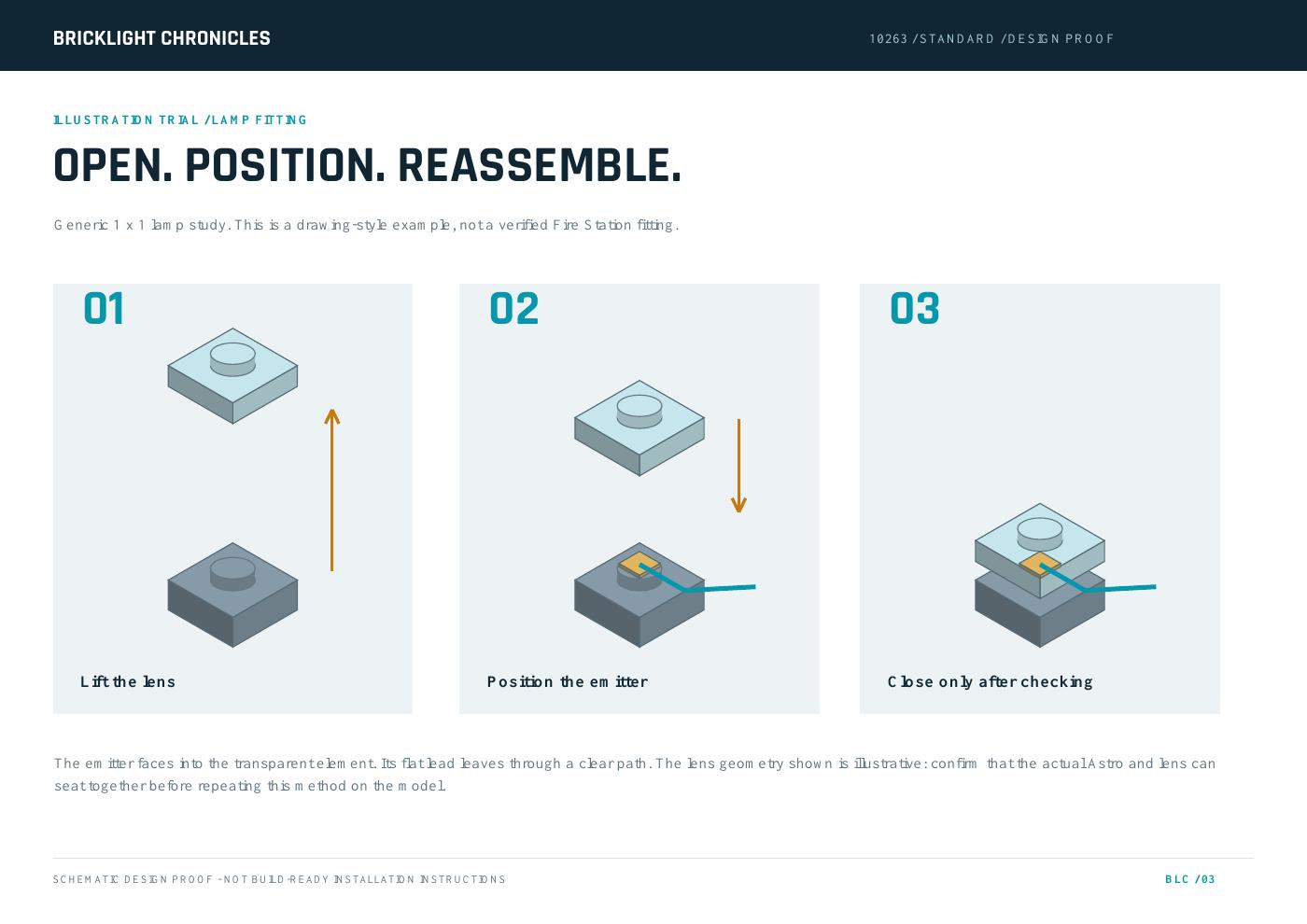
MEET THE NEW COMPONENTS
THE RIGHT PLUG.
THE RIGHT CONNECTION.
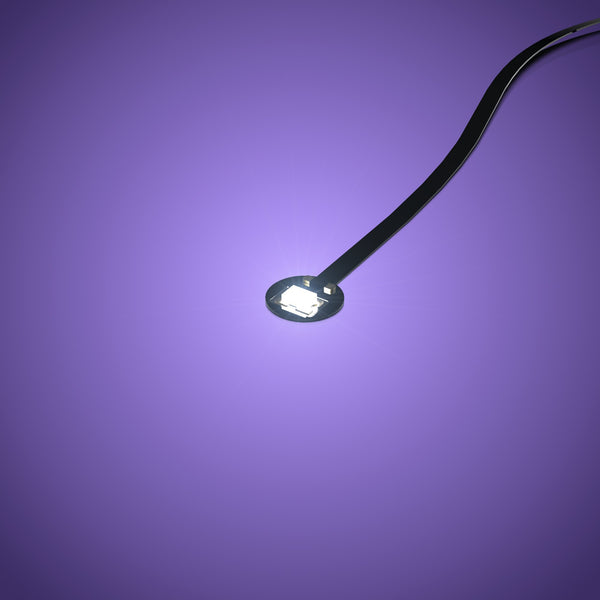
Astro light
Small light with a flat lead. Its plug belongs in a Dock Astro socket.
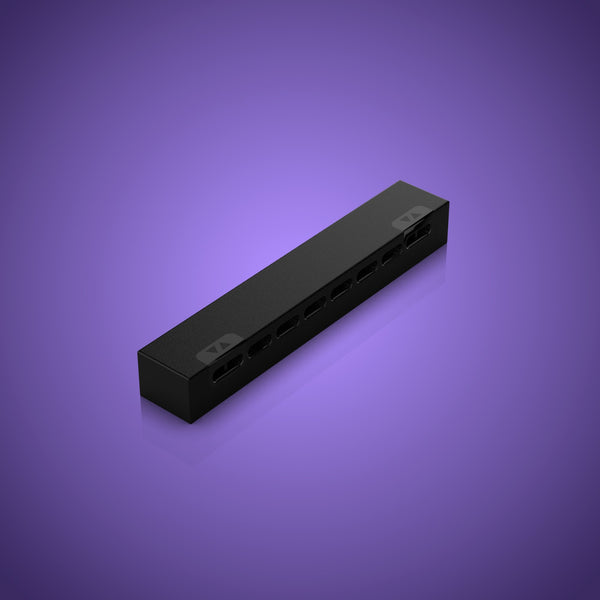
Dock 6
Six Astro sockets and two separate Belt sockets. Mount using its matching Tether.
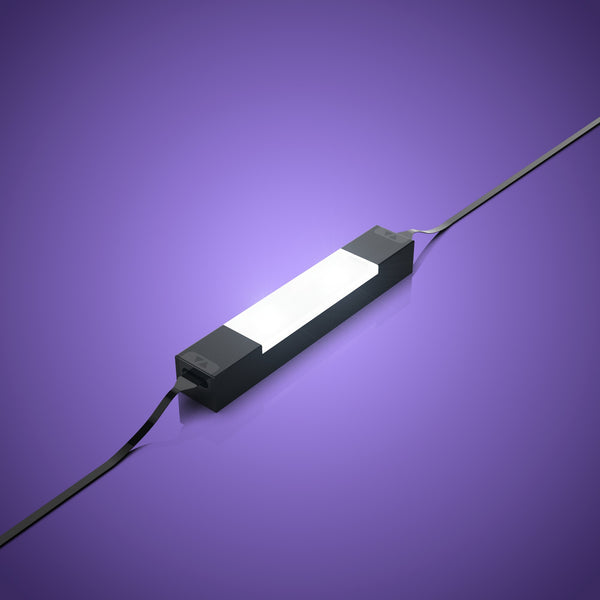
Meteor
A housed strip replacement. Both end connections take Belts, not Astro plugs.
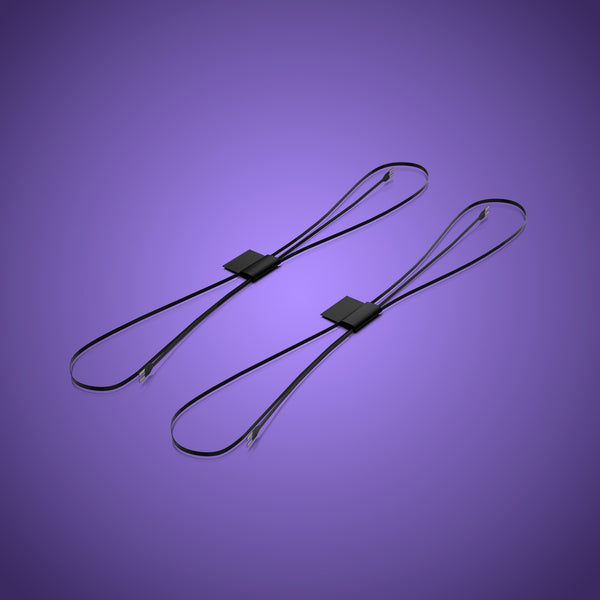
Belt
Connects Docks, Meteors and other Belt-compatible components. Keep it flat.
Product photographs: Light My Bricks. Images are not to scale.
STANDARD / CONNECTION MAP
FOLLOW THE
POWER.
Each line is one Belt. Lengths are planning allowances and must be checked on the model. Astro lights plug into Dock Astro sockets; Meteors and Split Docks use Belt sockets.
01 / Main distribution, tree and rink
02 / Building and truck branches
A schematic does not establish current draw, cable reach or fit. Each Split Dock uses all four Belt sockets including its incoming connection.
ORIGINAL GUIDE / Before starting
Prepare and test the components
- Open the original guide beside this BLC adaptation. Photograph the completed model before removing sections.
- Check the selected mode and count individual components rather than retail packs. Plug a Dock into the Flux Belt and test each Astro before installation; test Meteors using their Belt sockets.
- Disconnect power before changing connections. Keep the 1.0 hardware out of this all-2.0 circuit.
This is an untested assembly trial. The diagrams show connections, not measured brick positions. Stop at any fit conflict and revise before closing the model.
ORIGINAL GUIDE / Truck 1–8
Light the fire truck
- Use the original model-opening sequence for the front and rear light assemblies. Dry-fit each Astro under its translucent plate before routing the cable.
- Run the four flat leads toward the underside. Replace the original wire twisting with separate flat routes and gentle slack.
- Connect four Astro sockets on the truck Dock 6. Choose a Tether attachment that clears wheels and the underside plate; leave access to its Belt socket. Run the 50 cm Belt to Split B.
All four lights work; wheels move freely; the bottom plate seats without pressure. The truck is now tethered to the display, not powered by the old coin-cell pack.
ORIGINAL GUIDE / Fire Station 1–4
Reconnect the lamppost pair
- Follow the original lamp disassembly references, then check the Astro emitter and connector fit the openings without force.
- Refit the lamp tops only when the cable can exit freely. Lay both leads flat to the main building.
- Reserve two Astro sockets on the main Dock 9 for these lamps.
Both lamps illuminate and both 30 cm leads reach the intended Dock location with slack.
ORIGINAL GUIDE / Fire Station 5–6
Plan the skating-rink light
- Preserve the edge-lighting direction, but replace adhesive-strip mounting with a dry-fitted 1×6 attachment for the blue Meteor. Connect the 50 cm Belt to the second Belt socket on the main Dock 9.
A new 1×6 mounting point must accommodate the blue Meteor’s 48 × 8 × 6.4 mm housing. Its original adhesive position is not a verified fit. Keep the 50 cm Belt clear of the rink pieces.
ORIGINAL GUIDE / Fire Station 7–13
Light the tree: standard route
- Follow the original tree-opening references and preserve the star plus eight ornament lighting positions.
- Dry-fit each new emitter before closing its ornament. Route each flat cable independently toward the back and base; do not wind the cables into a bundle.
- Keep all nine connectors available for the two tree docks.
Nine tree LEDs are present. Their 15 cm leads must reach the two selected Dock positions without pulling the branches out of alignment.
ORIGINAL GUIDE / Fire Station 14–15
Connect the tree branch
- Attach two Dock 6 units where their Tethers clear the tree panels. Connect five tree Astros to one and four to the other, and join the docks with a 5 cm Belt. Connect the first Dock to Split A with 50 cm Belt.
All nine tree LEDs must light. The original guide’s step 14 says nine leads but lists five plus three; this plan explicitly connects five plus four.
ORIGINAL GUIDE / Fire Station 16
Install the flashing alarm
- Use the original alarm disassembly reference and dry-fit the new Astro behind the translucent alarm piece.
- Route its connector into the building toward the main Dock 9. Keep it free of the front doors.
- Do not repeat the old alarm-to-strip connection. Plug the alarm into an Astro socket on the Dock, never into a Meteor Belt port.
Confirm the 15 cm lead reaches before fixing the main Dock. If it does not, relocate the Dock or revise to a longer appropriate Astro; the listed cart has not added one automatically.
ORIGINAL GUIDE / Fire Station 17–20
Fit the entrance and ground-floor Meteors
- Dry-fit a white Meteor at the entrance-lighting location and a second beneath the ground-floor ceiling. Use each matching Tether instead of relying on the old adhesive strip backing.
- Connect Split B to the ground-floor Meteor using one 15 cm Belt; join ground-floor to entrance Meteor with the other.
- Keep both ends accessible until the door and roof clearances have been checked.
Each housing is 6.4 mm thick before installation clearances. A 1×6 plate from the old kit is not a substitute for the matching Tether. New mounting bricks may be needed.
ORIGINAL GUIDE / Fire Station 21–26
Connect the two wall lamps
- Use the original wall-lamp opening references. Check the new emitter fits inside the lamp and that its bracket does not press on the flex cable.
- Route the left wall lamp to the main Dock 9. Route the right wall lamp toward the tower Dock 6.
- Keep flat cable routes clear of the joints between floors.
Both lamp assemblies close comfortably; the right-hand lead reaches the tower Dock without tension.
ORIGINAL GUIDE / Fire Station 27–33
Light the tower roof and windows
- Use the original references to open the roof and upper window assemblies. Dry-fit one Astro at the roof light position and one over each window.
- Connect these three lights and the right wall lamp to four Astro sockets on the tower Dock 6.
- Attach the Dock with a suitable Tether position and leave enough slack to lift the roof. Do not follow the original instruction to add the truck to this dock; the proposed 2.0 truck branch runs from Split B.
Four lights use four of six Astro sockets. The roof can be removed without pulling a connector.
ORIGINAL GUIDE / Fire Station 34
Complete the upper-floor branch
- Dry-fit the remaining white Meteor beneath the main upper roof.
- Connect Split B to this Meteor using a 15 cm Belt. Use the 50 cm Belt from its other side to the tower Dock 6.
- Route surplus length as loose flat slack, keeping removable roof joints clear.
This route replaces the original shared strip/board connection. Check actual reach and cable storage; 50 cm is a proposed allowance, not a measured installed length.
ORIGINAL GUIDE / Fire Station 20, 24 and 35
Join, check and close the display
- Place Split A, Split B and the main Dock so the short local connections can reach. Join Split A to Dock 9 with 5 cm Belt and to Split B with 30 cm Belt.
- Connect the tree, truck and Meteor branches using the mode-specific wiring map. Connect the Flux Belt to Split A last.
- Test every light before clipping down roofs. Confirm every dock, lamp and Meteor is secure and every moving piece still moves. Switch off and correct any loose or strained connection.
Standard totals: 21 Astro connections across five docks, four Meteors, ten ordinary Belts plus the Flux power cable. Counts do not verify current draw or physical fit.
BEFORE YOU CALL IT COMPLETE
LIGHT. CHECK.
THEN CLOSE.
Test every branch, confirm flat cables are free of pressure, check the removable roofs and truck wheels, and keep connectors accessible. Photograph any changes for your own reference. The trial remains physically unvalidated until an actual installation has been checked.
Review the standard parts cart ↗Manufacturer references
- Original 1.0 inventory and model-opening/installation references
- dock3
- dock6
- dock9
- split
- string9
- blue30
- flash15
- meteor
- lmb-2-0-meteor-light-blue-2-pack
- flux60
- Belt Extender accepts Belt plugs; not Astro plugs
- Current official component handling guide
BLC instruction trial 10263 / version 1 · Sources checked 29 October 2026. Original assembly commentary and schematics © BrickLight Chronicles. Original kit photograph and source guide © Light My Bricks. Disclaimer & credits.